Merch from the printer to the settlement.
Ring up sales on any phone, tablet or computer, let fans order ahead, count in and out, and settle with the venue before load-out. On its own, or with the rest of Tour Runner.
For tour managers and merch companies · No card reader needed
- PrinterPurchase order sent
- WarehouseBoxes received by scan
- TruckStock on the road
- 6:30 PMCount-in at the stand
- 7:00 PMDoors, register open
- 11:00 PMCount-out
- 11:30 PMSettled with the venue
- Next morningReorder before it runs out
Everything the merch stand needs
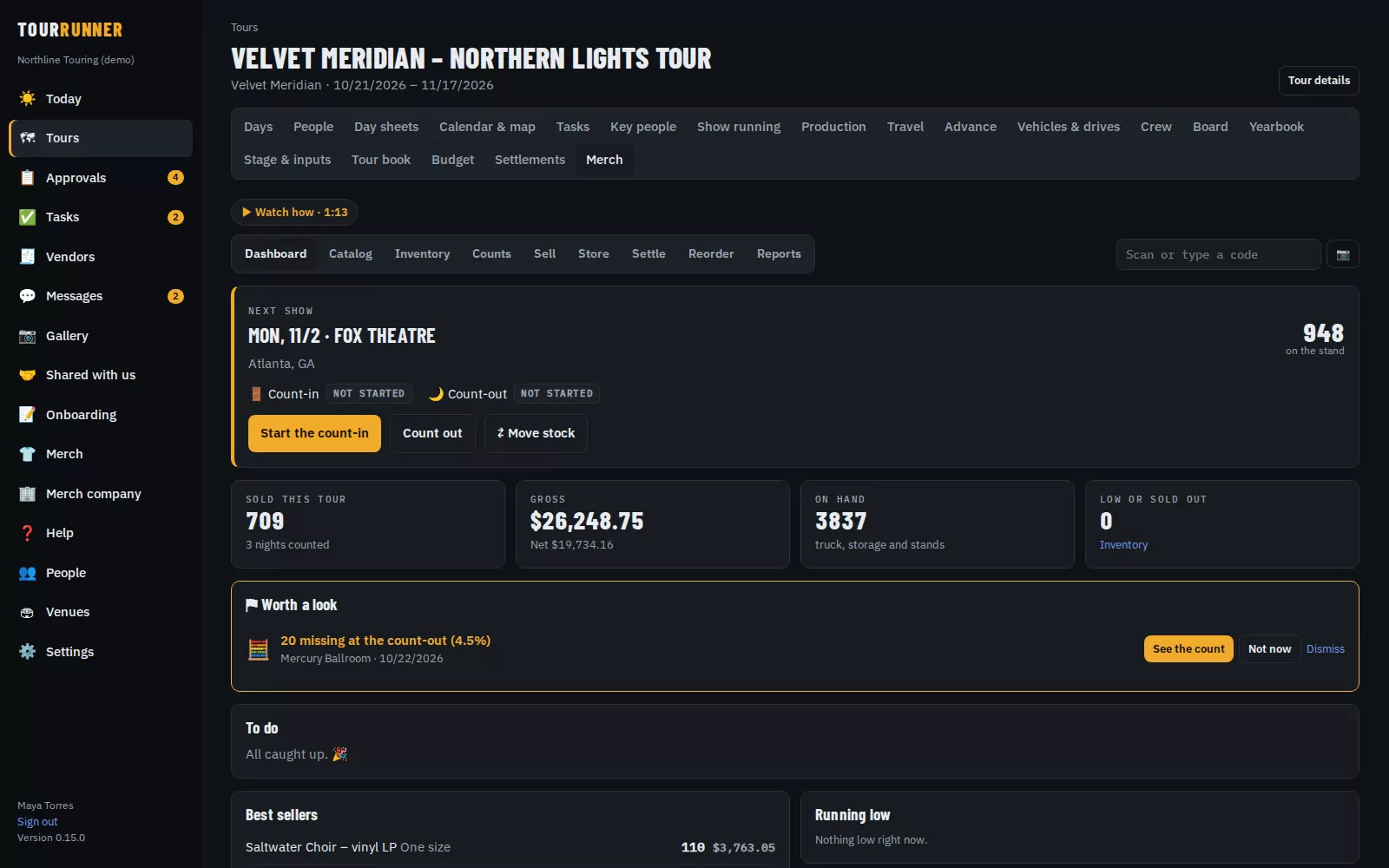
Merch follows your shirts from the printer to the truck, to tonight's stand, to the sale, to the settlement with the venue, and back to the printer when you run low. Stock is always the sum of every move, so the numbers can't drift.
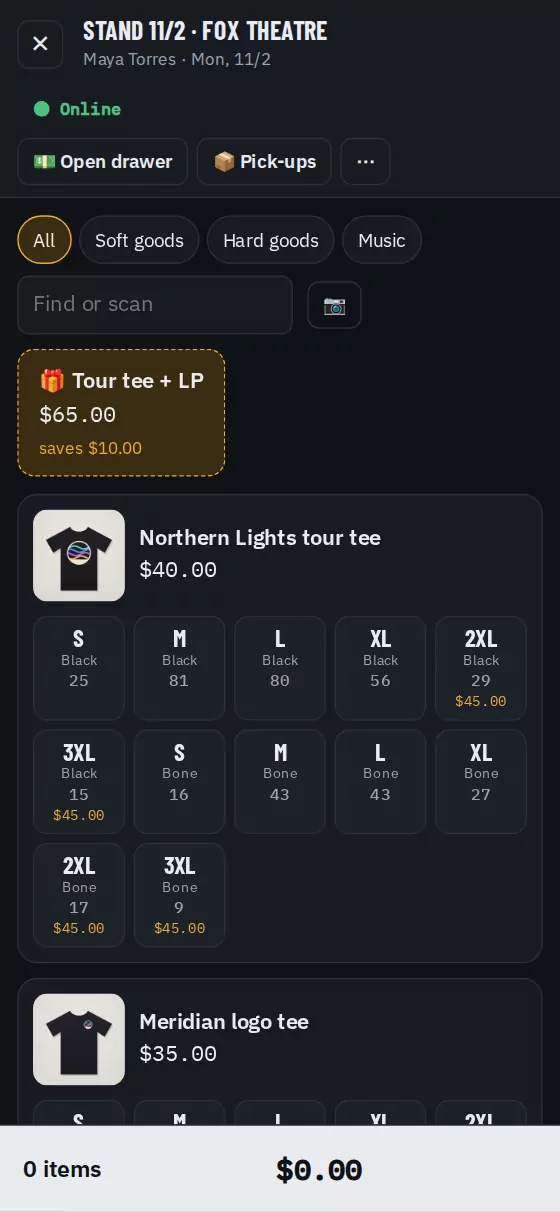
A point of sale on any phone, tablet or computer
No card reader or other hardware. Tap an item, then its size. Sizes that are sold out at the stand are greyed out.
- Cash with the change worked out, Scan to pay on the fan's own phone, or the reader you already have
- Tap to Pay on iPhone in the Tour Runner phone app (coming soon)
- Bundles like a tee and an LP, discounts, and comps with a reason and the manager's PIN
- Split a payment part cash, part card – it adds up to the cent
- No signal? Keep selling cash. Sales are saved on the device and sent once the signal is back, never twice
- Cash drawers counted by bill and coin, with over or short at close
Fans order ahead and skip the line
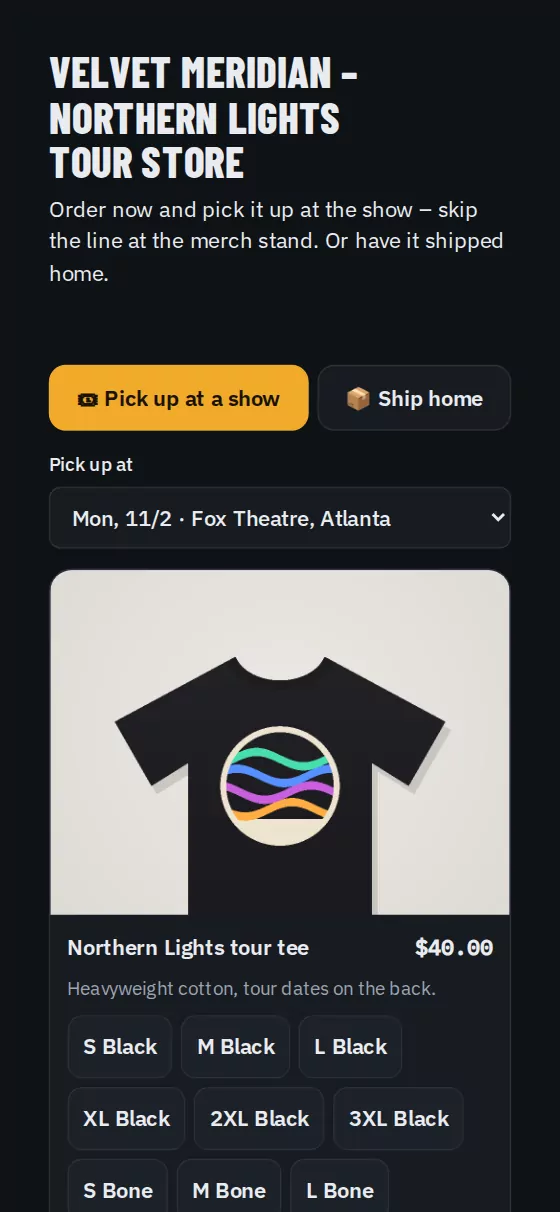
Each tour gets its own store. Fans see the items with live stock, pick a show to pick up at, and pay on their phone. A TV at the stand shows the menu board.
- Pre-orders for pick-up at a show, set aside from that show's stock
- Ship home from the warehouse
- Skip the line: fans order at the stand from their phone and you call their number
- Scan the fan's pick-up code to hand the order over
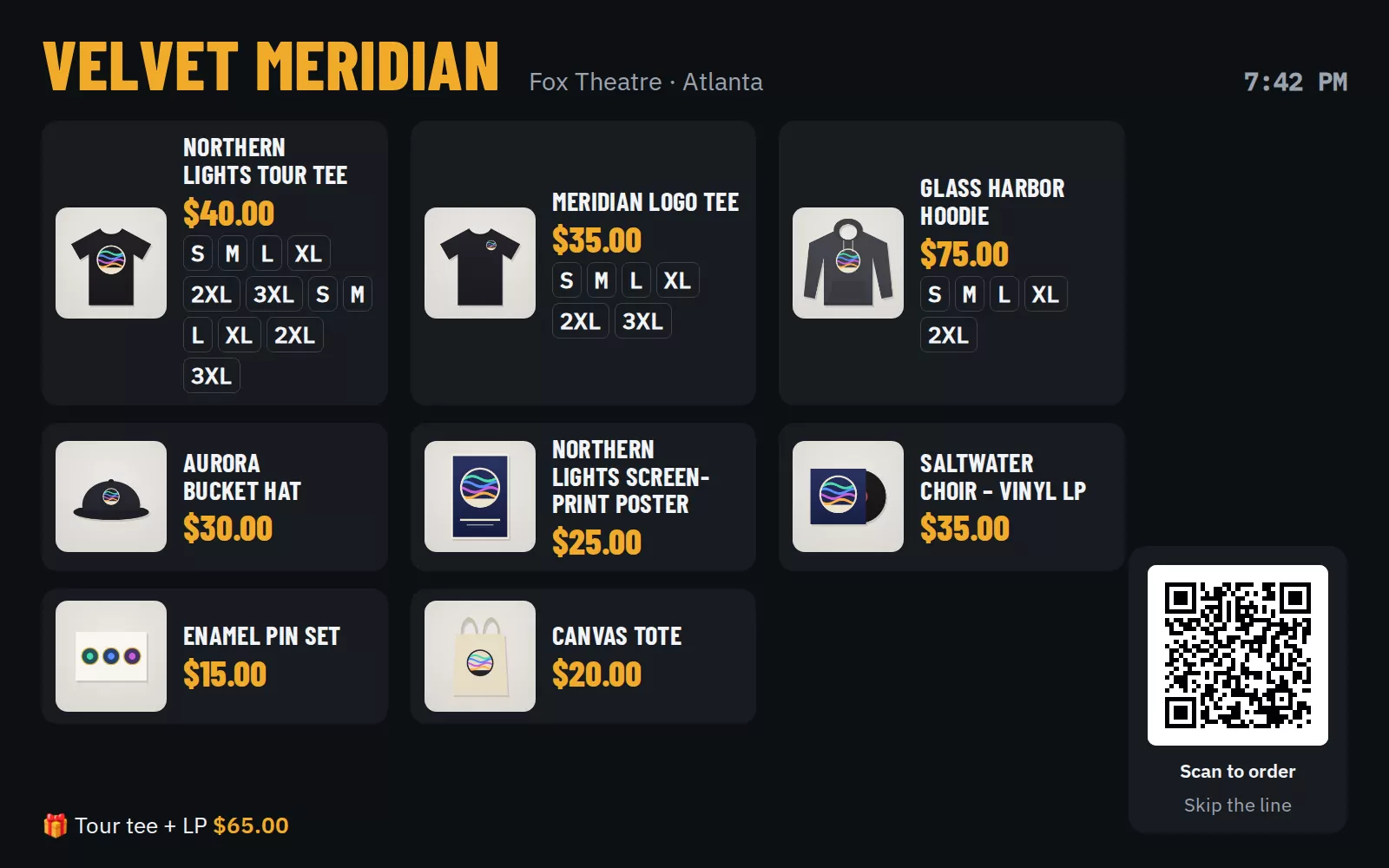
- A live menu board for the TV: big photos and prices, sold-out sizes cross out by themselves, and a QR to order
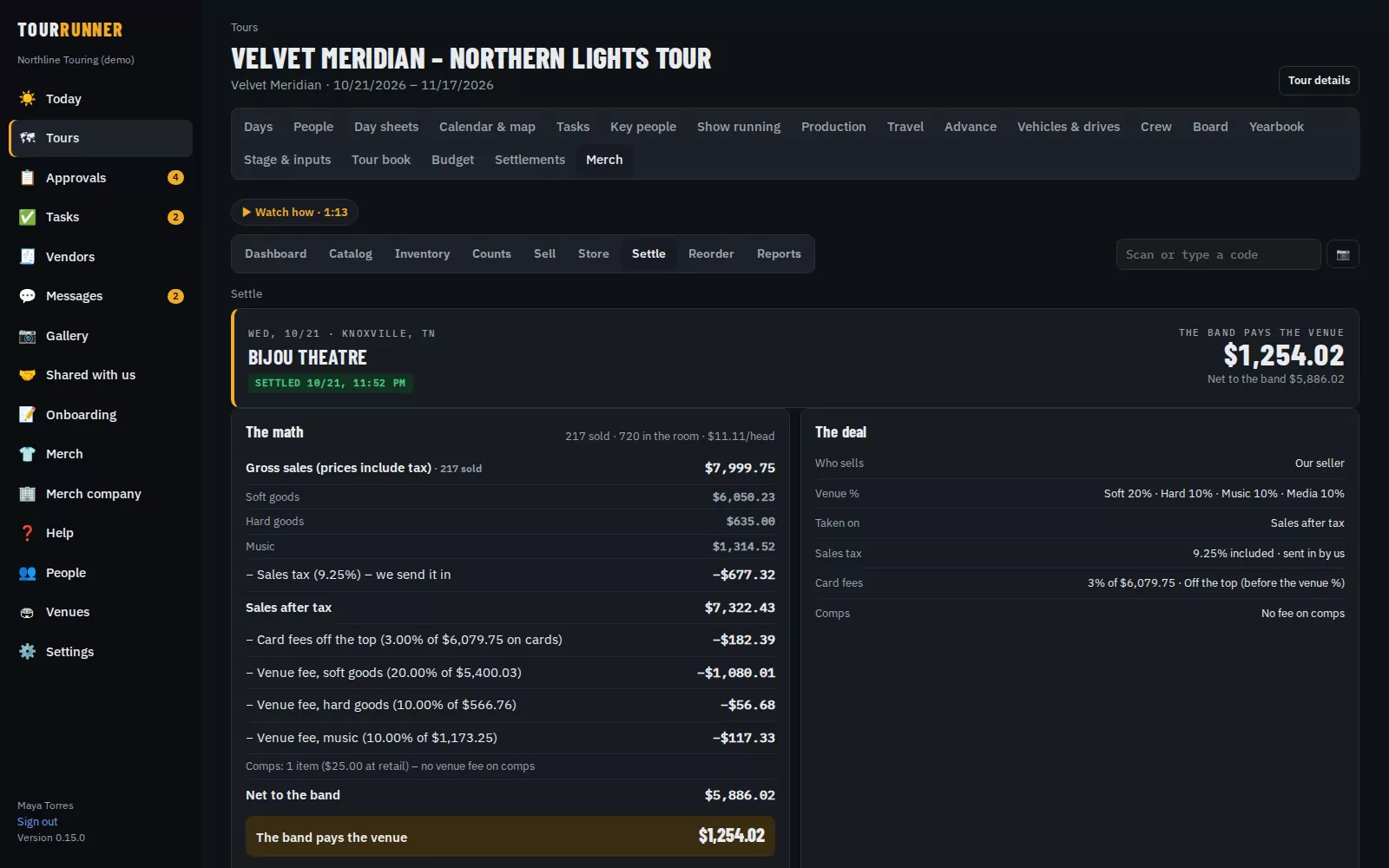
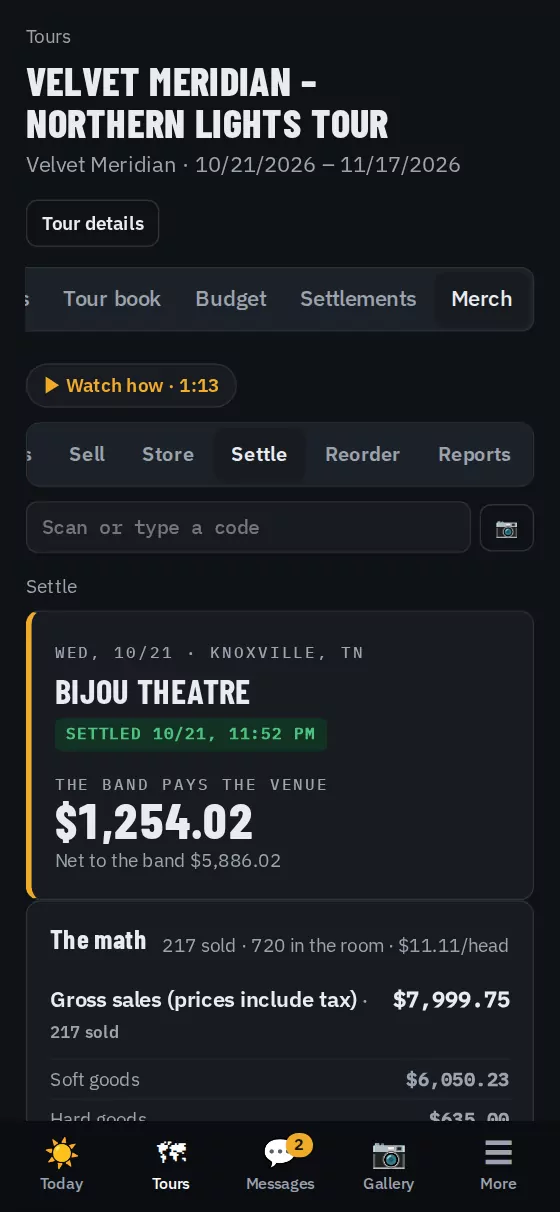
Count in, count out, settle before load-out
Count in at doors and count out at close. The settlement starts from the night's sales and the venue deal – nobody types in totals.
- Count on the size grid, scan barcodes with the phone camera or a Bluetooth scanner, or photograph a paper count sheet
- Skip the register and the night's sales come from the counts
- The venue's cut for soft goods, hard goods and music, sales tax, card fees and flat fees, worked out step by step
- Signed on screen by the venue rep and the tour manager, then locked
- The venue's link shows that one show only – never other shows, your splits or what you keep
Know which size runs out, and where
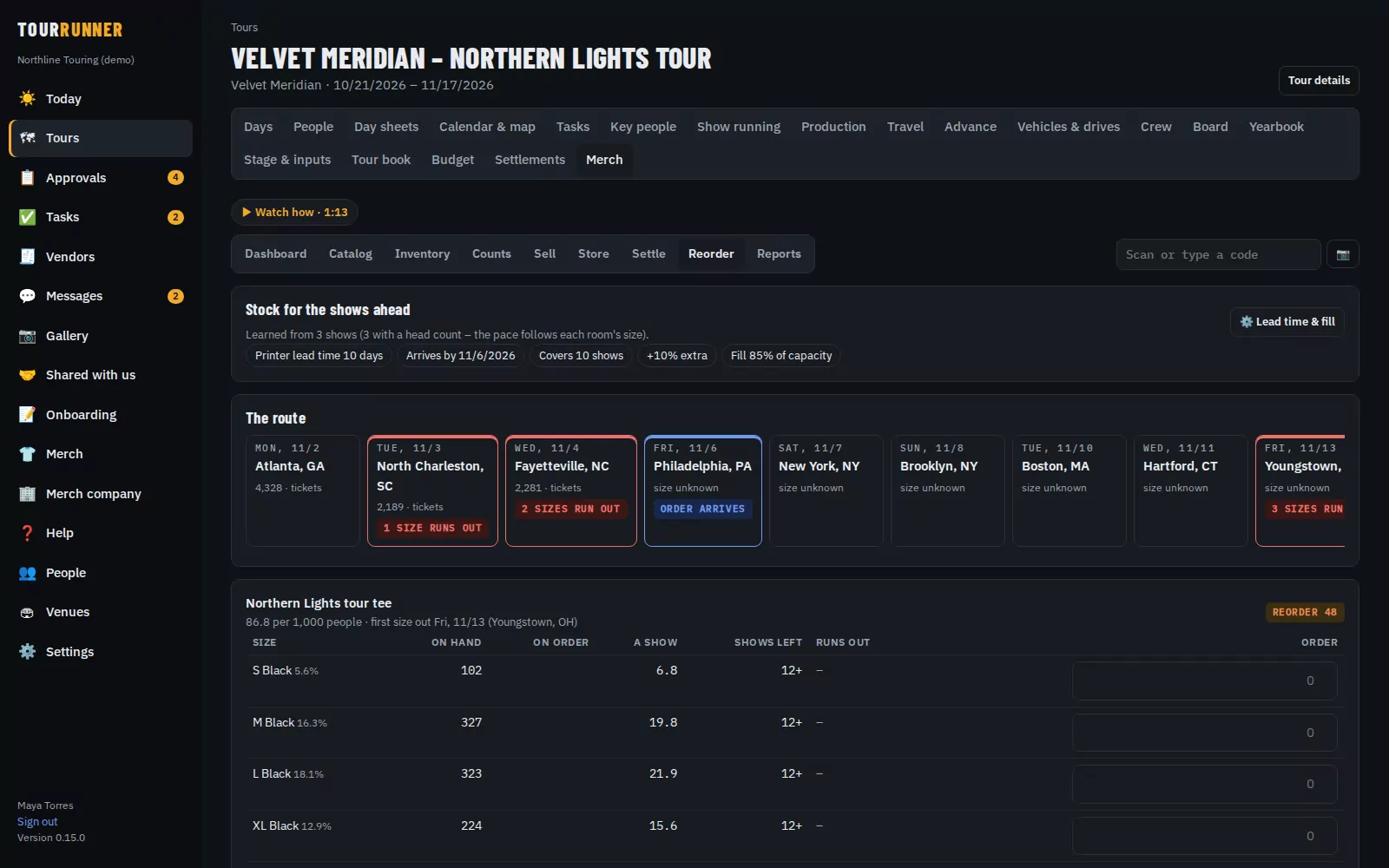
Reorder learns from the nights you've sold – which sizes go fastest and how much sells per person in the room – and looks at the shows ahead.
- When each size runs out on the route, with the recommended quantity to order
- Ship it to a venue on the route – the first show it can reach in time, with the address filled in
- The printer gets a purchase order and a link to confirm it and add the tracking number
- Receive the boxes by scanning, straight onto the truck
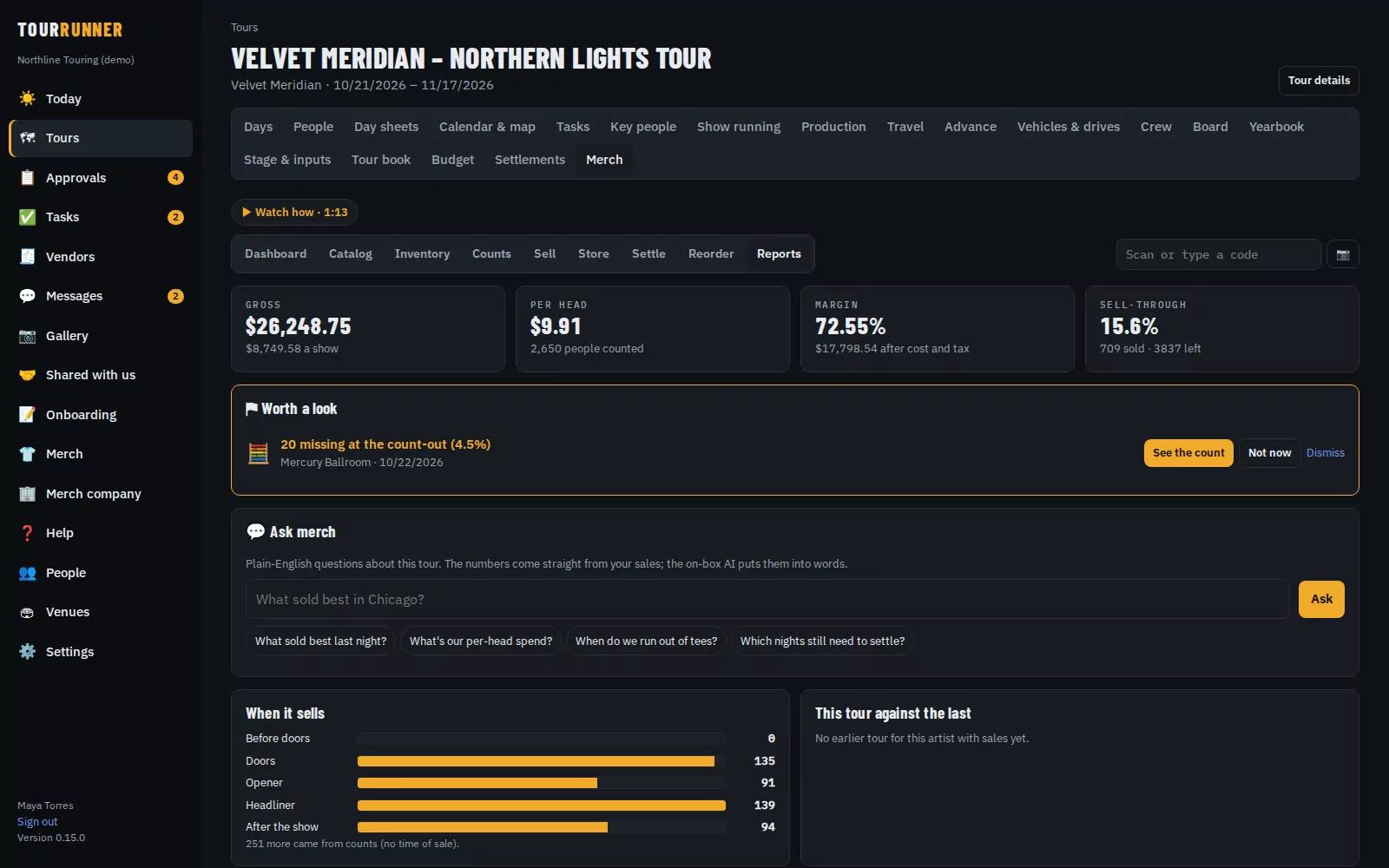
Per-head spend, best sellers and when it sells
Every number comes straight from your sales and counts.
- Gross, per-head spend, margin and sell-through for the tour, by show, by city, by item and by size
- When it sells: doors, the opener, the headliner and after the show
- This tour against the last one, and a spreadsheet of every night
- Ask merch: plain-English questions like "What sold best last night?"
- Flags for anything that looks off – a count that came up short, a drawer short of cash, or a night far below the forecast
Every artist, every tour, every split
Set how the net is shared – artist, management, merch company or anyone else, by percent or a fixed amount. Weekly statements and payouts come from the signed nights.
- Splits that always add up to the cent
- Weekly statements as PDF, and payouts sent or marked as paid
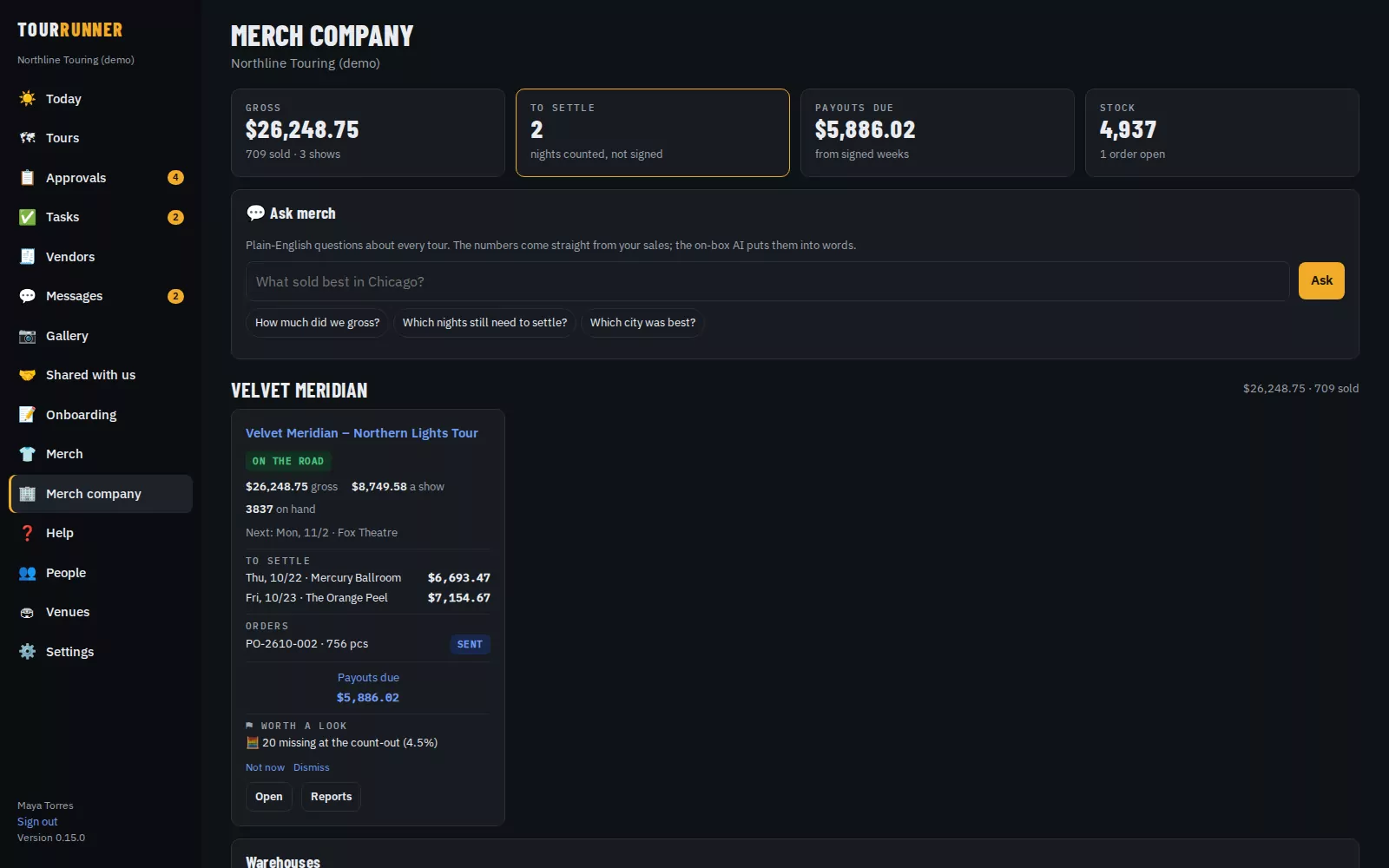
- A merch company page with every artist and tour: sales, stock, open orders, settlements waiting and payouts due
- The merch crew sell and count; managers see the money
On its own, or with Tour Runner
Merch can be bought completely on its own or added to Tour Runner. Cash sales are free; card fees are on the pricing page.
Merch on its own
For merch companies with many artists, and anyone who only needs the merch.
- Its own Runs & shows list for each artist
- The merch company page across every artist and tour
- Register, fan store, menu board, counts, settlements, splits, reorders and reports
- Nothing else of Tour Runner to learn
Merch as an add-on
For tours already running on Tour Runner.
- Uses the tour's own days, venues and crew
- Each night's merch income lands on the tour budget
- Ship-to addresses come from the venue library
- The owner switches Merch on or off in Settings
Crew, drivers, venues and vendors are always free.
Good to know
Do I need a card reader?
No. Fans can pay with Scan to pay on their own phone, or – coming soon – tap their card on the back of your iPhone in the Tour Runner phone app. If you already have a reader, ring the sale up as "another reader" and it still counts.
What if there's no signal at the venue?
Keep selling. Cash sales are saved on the device and sent the moment the signal comes back – each one exactly once. Cards need signal, so take cash or use Scan to pay when you're back online.
Can I use Merch without the rest of Tour Runner?
Yes. A merch company can use Merch on its own, with its own Runs & shows list for each artist. Or add it to Tour Runner and it uses the tour's own days, venues and crew.
What does the venue see?
The venue's link shows that one show's settlement only – never other shows, your splits or what you keep. The venue rep can sign there or on your screen, and leave a question.
Can I count without the register?
Yes. Count in at doors and count out at close, and what's gone becomes the night's sales. Count on the size grid, by scanning, or on a printed count sheet you photograph.
How much does it cost?
Cash sales are free. Card sales through Tour Runner Payments are 3.5% + 15¢ in person and 3.9% + 30¢ online, all-in. With your own processor it's a 1% platform fee (0.75% on the Merch company plan). Book a demo for Merch plan pricing. Crew, drivers, venues and vendors are always free.
See Merch on a sample tour
We'll walk you through a full run of merch: the register, the fan store, a signed settlement and the reorder.